The workshop that was 90% installing things
I ran a Claude Code workshop for people who wanted to build things but weren’t developers. About 90% of the time went to installing Git, Node, Python and Claude Code, and fixing whatever broke along the way. Hardened Windows laptops without local admin rights don’t make that any easier. The part people came for, describing an idea and watching it get built, took minutes.
So I built Workspaces: a browser tab with everything already installed. It went through three UIs, each one a reaction to what broke in the one before.
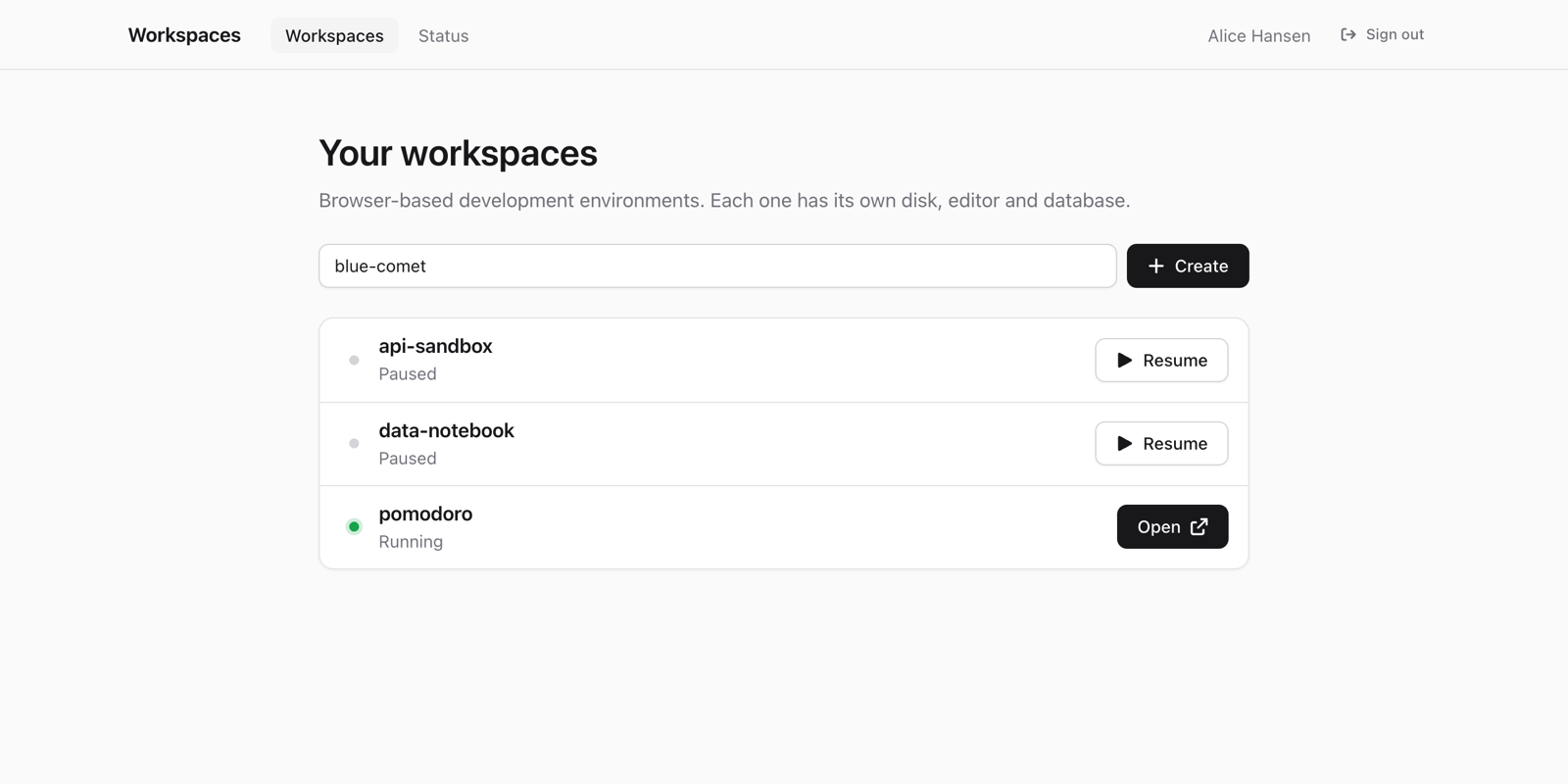
One pod per person
Everyone in a workshop wants their own files, their own running app and their own database, and nobody should lose their work because someone else broke something. So every workspace is a Kubernetes Deployment, a Service and a disk, created by a small Go service:
browser ──▶ Service ──▶ Pod (Deployment, 1 replica)
                         ├── editor, terminal and assistant
                         ├── postgres sidecar
                         └── PVC (10Gi) with your files
No operator, no CRDs. Pause is replicas: 0, resume is replicas: 1, and the PVC keeps your files. The image has Git, Node, Python, Go and Claude Code baked in. Everything that ate my workshop is now one docker build nobody attending ever sees.
Port forwarding
The first thing anyone does is ask the assistant to start their app. The second is try to open it. But the app is listening on localhost:3000 inside the pod, and localhost in your browser means your own machine. From the outside there’s no way to reach it.
A small proxy in each pod checks your session and forwards to the right local port. The path-based version (/proxy/3000/) breaks most apps because of absolute asset paths. The subdomain version (3000--alice.example.com) needs a wildcard route and a tiny router, but it’s the one that works.
A wall of menus
The pods solved the installing, not the confusion. The editor was VS Code in the browser via openvscode-server. Out of the box, with the Claude Code extension, this is what you’re greeted with:
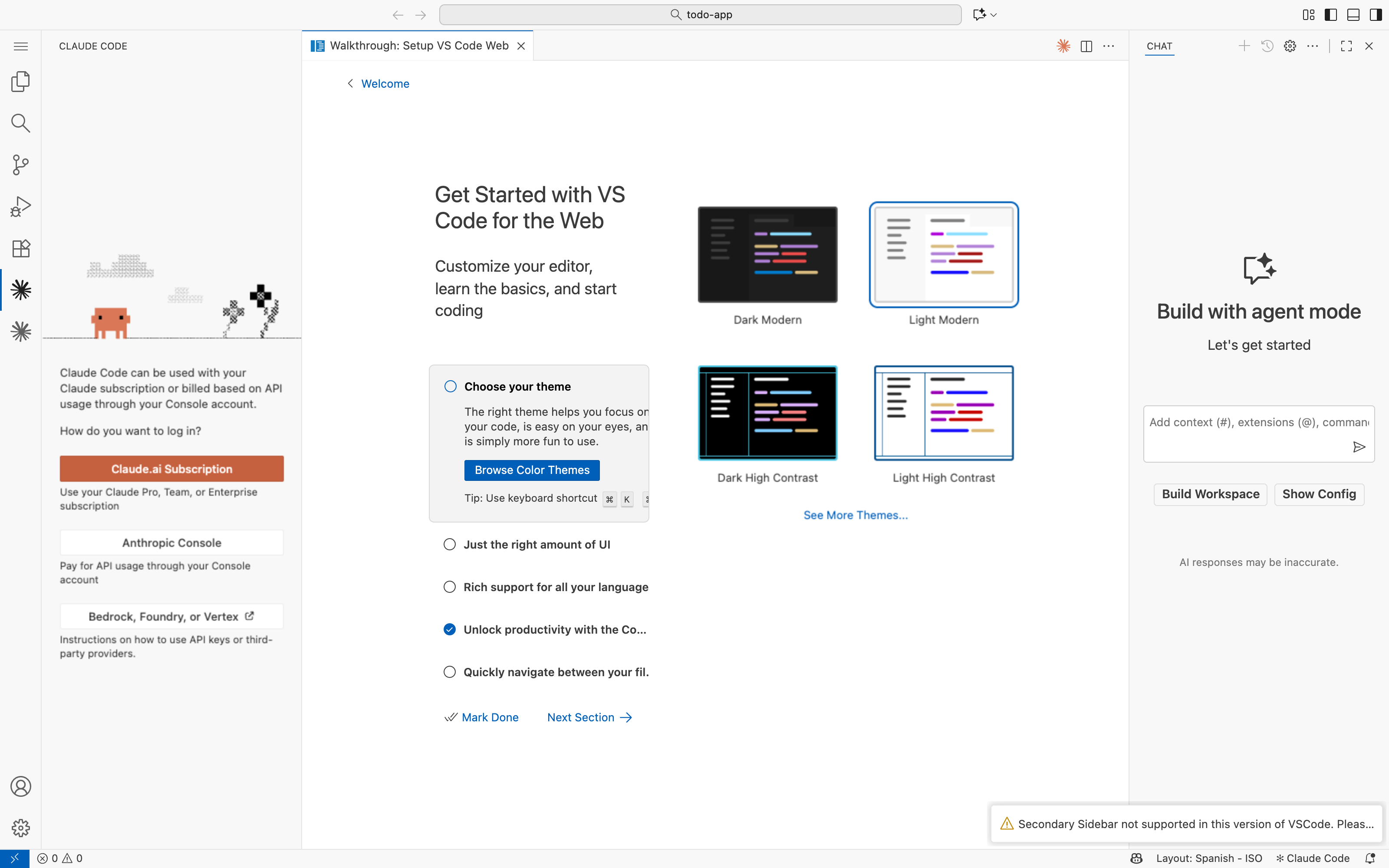
A walkthrough, a theme picker, VS Code’s own AI chat competing with Claude, and a warning toast. Making it show less was a fight:
fix: disable built-in VS Code AI/Copilot chat entirely
fix: remove defaultChatAgent from product.json to kill chat panel
fix: set configurationDefaults in product.json for reliable chat disable
fix: use correct setting key chat.disableAIFeatures to hide AI panel
fix: remove mermaid-chat-features built-in extension
Five commits for one chat panel. A developer doesn’t even see those menus anymore. Someone at their first workshop sees nothing else.
So I deleted almost everything
VS Code gave people every tool and no idea where to start. So the next version gave them almost nothing. One HTML file: a few cards, your files, Claude Code in a terminal, and a button that says “Open your app” instead of anything with the word “port”.
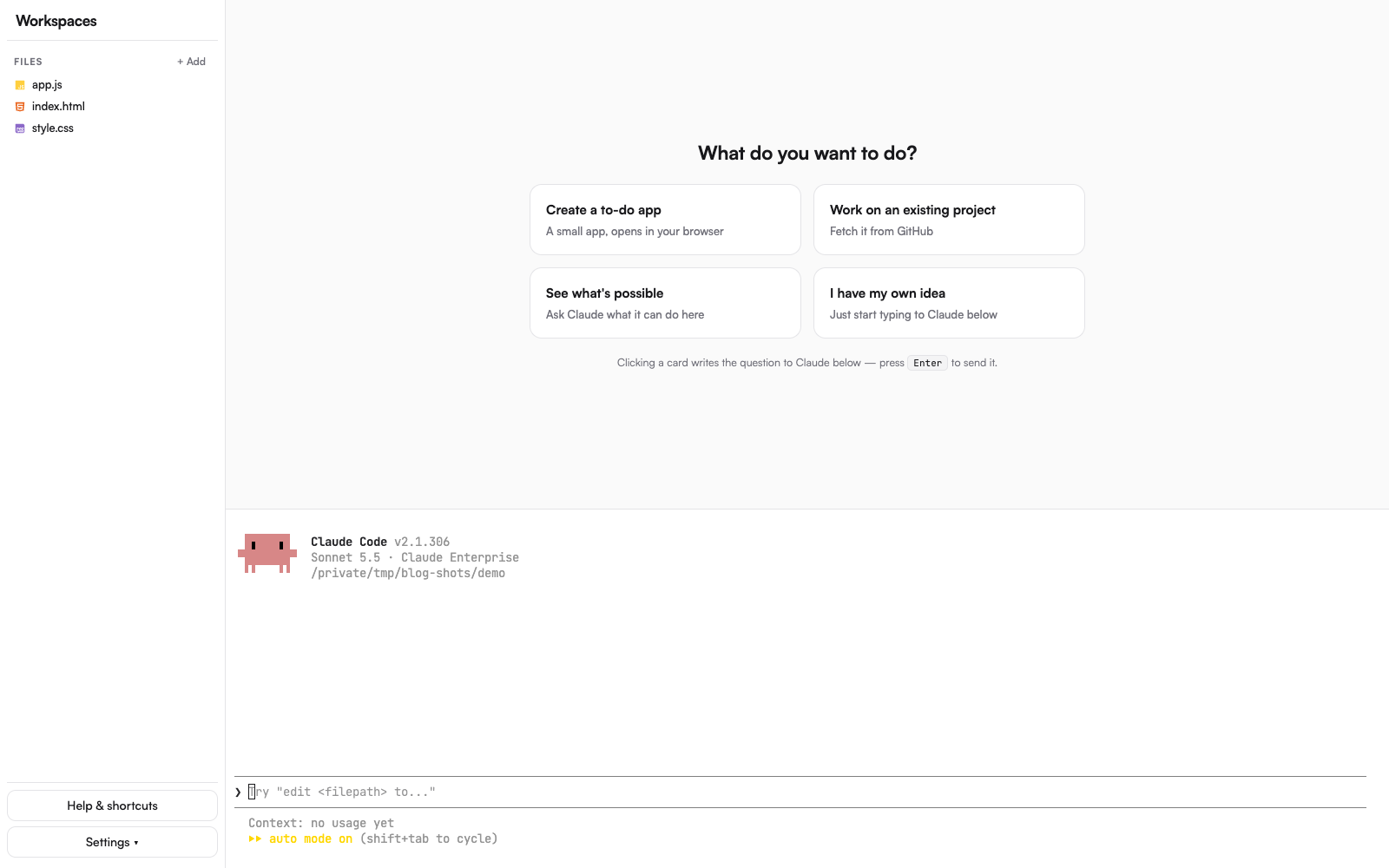
Click a card, press Enter, and it builds the thing:
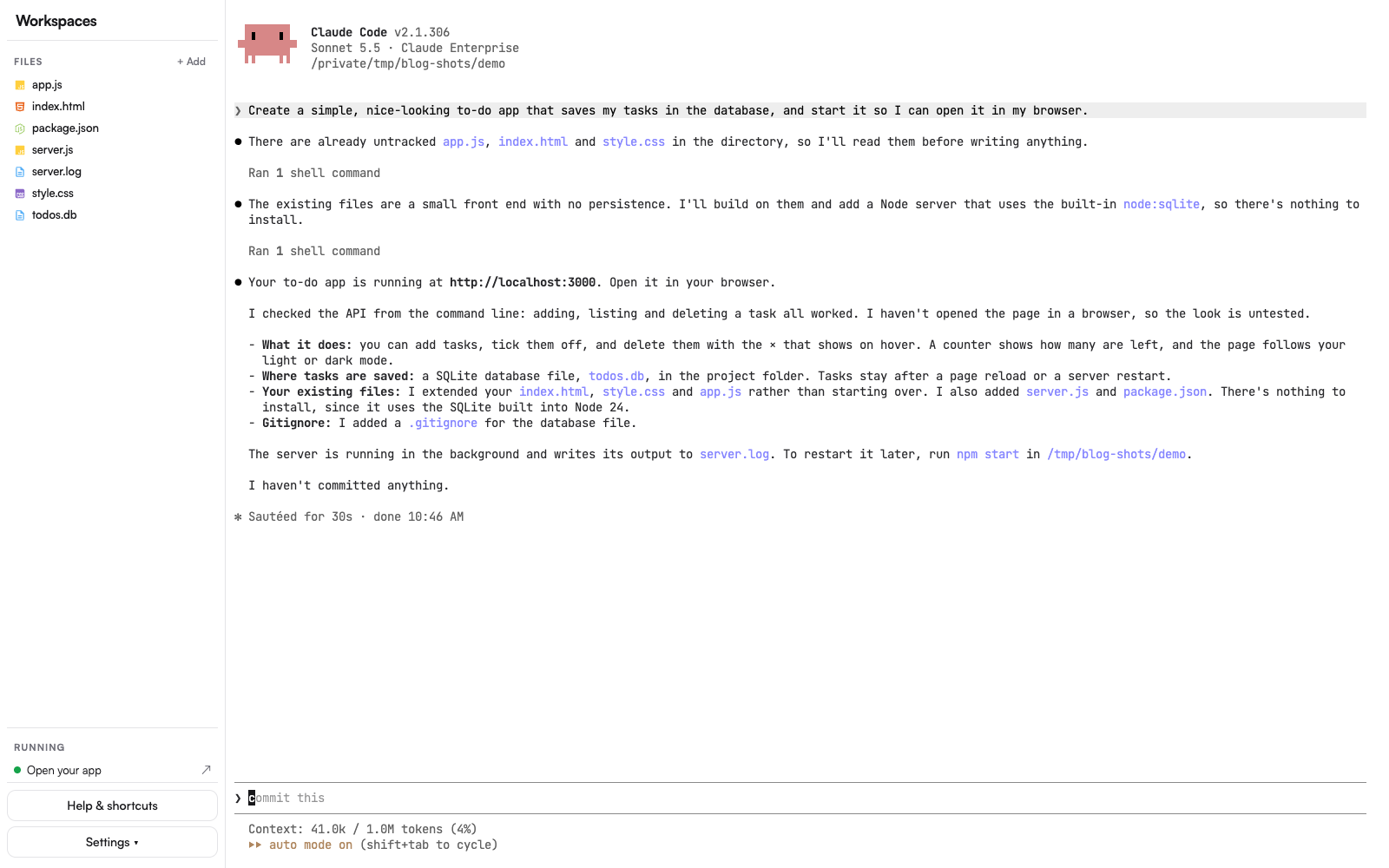
On its first day a user built and ran a to-do app with a database, without installing anything.
Even sign-in was simplified. GitHub and Claude both log in through interactive CLIs, so a first-run wizard drove them in hidden terminals and showed only what you need to click:
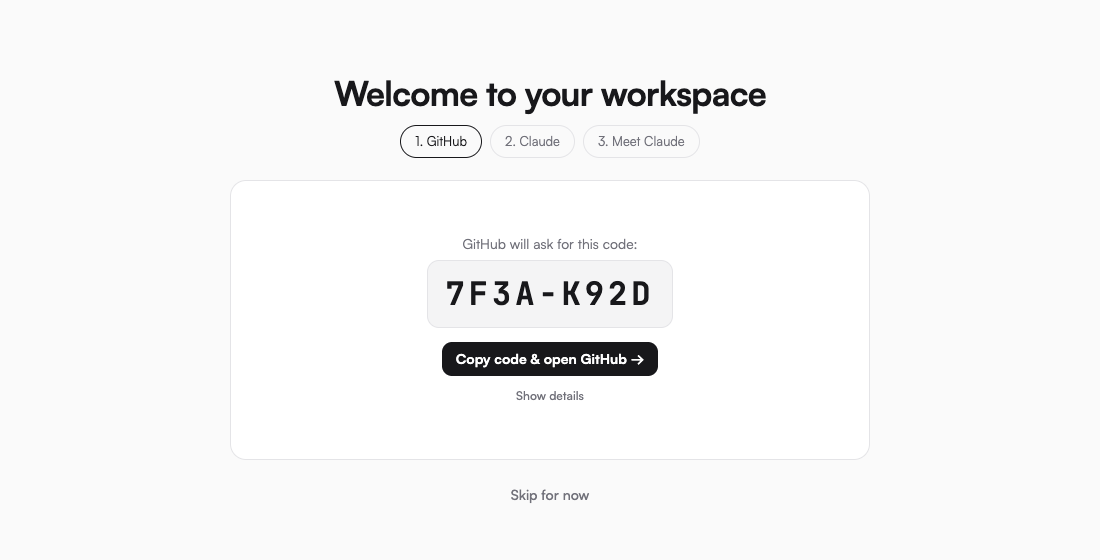
Driving CLIs in invisible terminals taught me a few things the hard way: Enter has to be sent as its own write or it’s treated as part of a paste, OAuth URLs get cut in half at 80 columns, and a first-run prompt nobody can see hangs forever.
One I never solved: anything that signs in by redirecting to localhost. The workspace isn’t on your machine, so the last page of the sign-in fails to load, and the wizard has to ask you to copy the address out of the broken page and paste it back in. It works, and nobody likes it.
A terminal in a browser is not a terminal
The shell gave people a place to start, but it put them in a terminal: Claude Code, in a terminal emulator, in a browser tab. On Windows, Ctrl+C in a terminal doesn’t copy, it stops whatever is running, so the obvious way to copy Claude’s answer interrupted Claude. Mac users had ⌘C and never noticed, and every fix for one platform broke the other. Scrolling behaved oddly too. And a terminal isn’t friendly to someone who has never used one.
Theia, and plugins
I needed a real chat and a real editor back, without the wall that came with VS Code. That turned out to be Eclipse Theia. Unlike VS Code it’s built to be taken apart, so I could keep the simple layout. And it runs VS Code extensions, which meant the Claude Code extension: a real chat UI, normal scrolling and copy-paste, no terminal in sight.
The catch is that the extension is built for VS Code, not Theia. A few things only work after a script patches it on install, and when a new version moves the code a patch was looking for, the patch quietly does nothing, so every upgrade starts with reading the patch log to see which ones still apply.
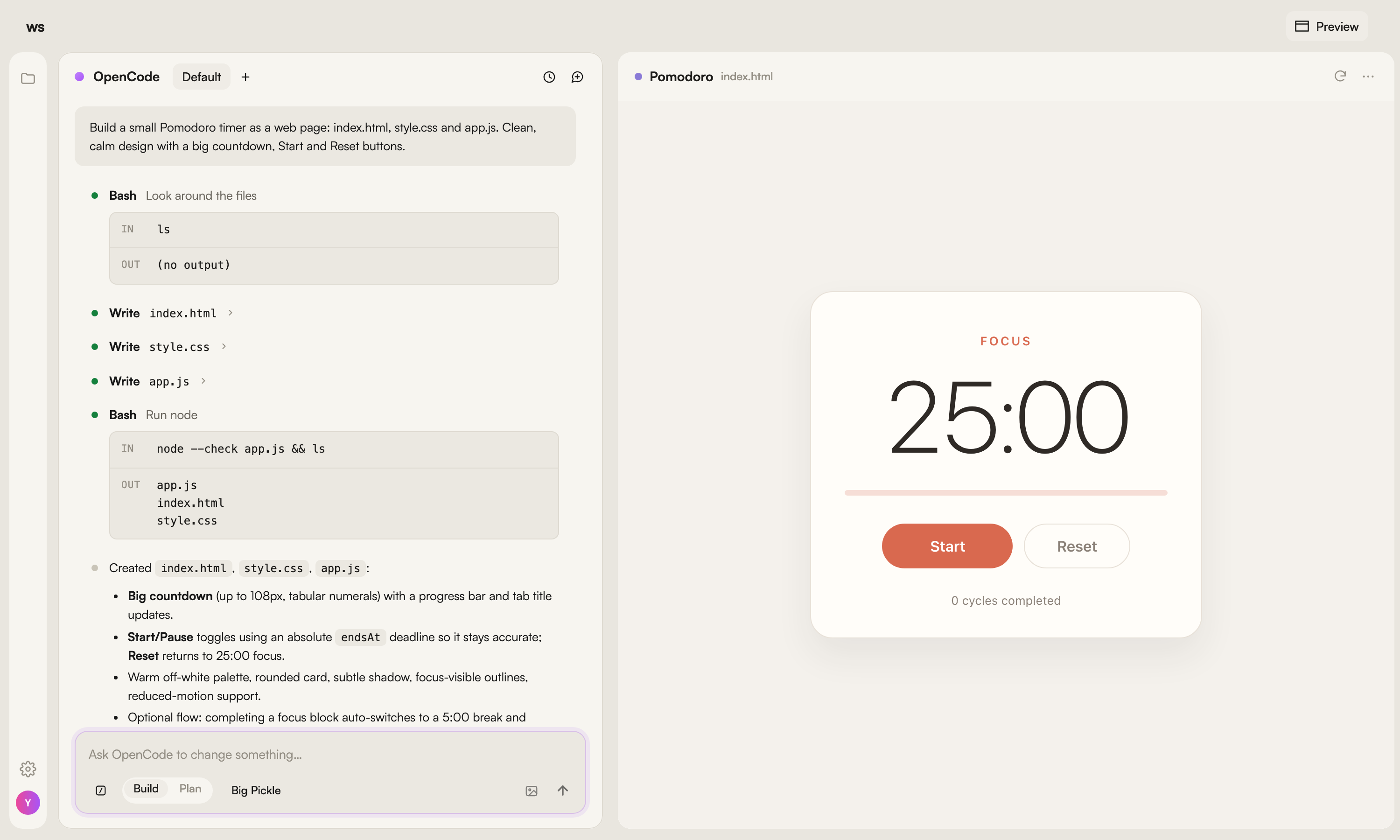
Then I added OpenCode as an alternative to Claude, and walked straight back into the terminal problem. So I wrote an OpenCode extension that mimics the Claude Code one. Same layout, same feel, any OpenAI-compatible model.
The last piece was a preview next to the chat: the app you’re building, right beside the conversation that’s building it. For someone who never reads the code, that panel is what they came for.
What you hide is the product
I set out to skip the installing. What I ended up building was mostly a list of things to hide: tools, panels, prompts, ports, terminals, and one sign-in page I couldn’t hide at all.
Looking back, I made the same mistake three times. I built the path proxy before the one that works. I spent five commits taming VS Code before deleting it. And after learning that terminals were the problem, I put OpenCode straight back in one. Each time I reached for the developer-shaped thing first, because to me it looked normal.
Developers are bad at seeing what’s hard, because we cleared all of it years ago. Start from the person in the workshop, and add a tool only when they get stuck without it. The next workshop I run should spend its first five minutes on people describing their idea, not installing Git.
The code’s on GitHub if you want to poke at it: a hobby project, Helm chart included. Fair warning, a tool for skipping setup still needs some of its own: a Kubernetes cluster, a wildcard domain with a certificate, and an OpenID Connect login (Keycloak, Entra ID, Google, anything standard).